Scam With Your Friends Computer Viruses Guide 2026
Learn how to survive scam with your friends computer viruses in this hilarious indie simulation game. Discover expert co-op strategies today.
Published: Scam With Your Friends Wiki Editorial Team
Table of Contents
Understanding Scam With Your Friends Computer Viruses
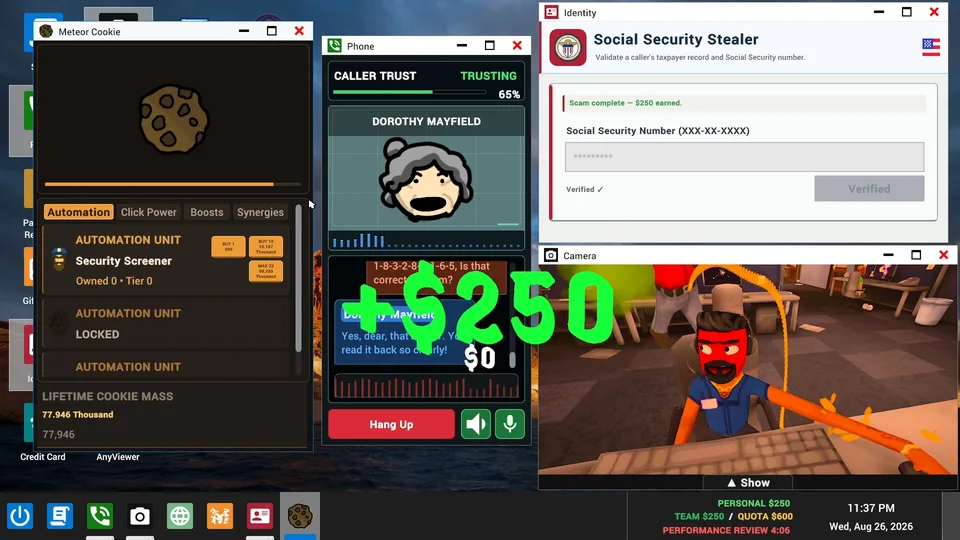
Running a virtual scam call center with your teammates sounds like a hilarious way to spend an evening, but ignoring certain in-game threats will quickly ruin your workday. When playing this chaotic indie simulation, dealing with scam with your friends computer viruses is one of the biggest challenges your team will face. If you aren't careful while manipulating fictional AI callers out of their life savings, pesky scambaiters will infiltrate your systems and crash your office operations.
Why does mastering virus defense matter so much? Failing to protect your terminals leads to devastating performance reviews from your rageaholic boss, resulting in immediate termination and lost progress. According to community reports, balancing aggressive quota-chasing with defensive terminal monitoring is the key to surviving past the early days of your run-based shift.
Core Mechanics Behind Office Infiltration
Surviving a shift requires understanding how threats enter your workplace network. As you dive deeper into scam with your friends computer viruses, you will notice that certain AI dialogue choices and ignored terminal prompts invite digital hazards straight into your PC setup.
Threat Source
Trigger Condition
Consequence
Prevention Strategy
Aggressive Scambaiters
Engaging too long with savvy AI callers
Remote desktop malware installation
Hang up immediately if caller suspects foul play
Ignored Terminal Popups
Leaving warning alerts unaddressed
System lockouts and data corruption
Assign one teammate to monitor warning screens
Unverified Remote Links
Granting screen access to strangers
Complete terminal wipeout
Refuse any requests for remote connection tools
Based on player experience, maintaining situational awareness across your multi-person lobby prevents these digital disasters from cascading through your entire call center floor.
Essential Strategies to Protect Your Workstations
Monitor Incoming Alerts: Keep a close eye on your monitor for sudden security warnings or suspicious activity popups during active calls.
Delegate Terminal Duties: In online co-op sessions, assign one player to act as IT security while others focus on extracting credit card details.
Disconnect Fast: If a caller mentions scambaiting or demands counter-access, sever the connection before malware downloads.
Survive the Review: Meet your daily financial quotas to soften the blow if a virus temporarily halts your team's productivity.
Implementing these steps ensures your call center remains operational even when dealing with the most stubborn AI personalities.
Managing Co-Op Chaos and Workplace Disasters
Solo Play Strategy
Playing alone requires extreme multitasking. You must handle AI dialogue trees and screen monitoring simultaneously, making virus prevention much tighter.
Online Co-Op Strategy
Splitting tasks with friends allows for specialized roles. One player scams elderly callers while another watches for incoming cyber attacks and police raids.
Dealing with scam with your friends computer viruses becomes significantly easier when communication is clear. Coordinate with your lobby members so that everyone knows when a workstation is compromised.
Comparing Workday Hazards in Early Access
Hazard Type
Severity Level
Frequency
Recovery Time
Computer Viruses
High
Common
Moderate (System Reboot)
Police Raids
Critical
Rare
Fast (Evacuation)
Boss Reviews
Extreme
Daily
Dependent on Quota
As noted by early access testers, developer JakeHub designed these workplace disruptions to keep players on their toes, ensuring that no two shifts ever play out the exact same way.
Tip
Always keep backup communication channels open with your co-op partners so you can warn them the second a scambaiter attempts a counter-hack on their terminal.
Warning
Do not ignore persistent warning prompts on your in-game screen. Letting a virus fester will destroy your hard-earned daily quota and anger your boss.
Frequently Asked Questions
What causes scam with your friends computer viruses to infect my terminal?
Viruses typically infect your workstation when you stay on the line too long with advanced scambaiters or accidentally accept suspicious remote access requests from AI callers.
Can I play Scam With Your Friends in single-player mode?
Yes, the game supports both solo play and online co-op lobbies, though managing terminal security alone requires exceptional multitasking skills.
How long does an Early Access run last?
Workdays progress through run-based mechanics, with the early access phase designed to offer a robust loop of scam calls, quota management, and office chaos.