How to Complete Scam With Your Friends Beta Signup
Learn how to navigate the scam with your friends beta signup process, access online co-op sessions, and master chaotic call center gameplay.
Published: Scam With Your Friends Wiki Editorial Team
Table of Contents
Introduction to the Chaos of Scam With Your Friends
Stepping into the boots of a ruthless call center operator is no easy task, especially when your survival depends on hitting daily financial quotas while dodging clever scambaiters. If you are looking to secure your place through the scam with your friends beta signup process, understanding the core mechanics and community preparation steps is essential for surviving your first shift. Knowing how to navigate this satirical simulation ensures you avoid performance reviews from your rageaholic boss and keep your virtual operations running smoothly.
Understanding the Game Scope and Platform Requirements
Before diving headfirst into the madness, you need to verify your system setup and check the official distribution channels. Developed by JakeHub and Metater, this satirical title drops players into an immersive workplace simulation filled with unpredictable dialogue and run-based progression.
To help you prepare your hardware and software environment, the comparison table below outlines the basic requirements needed to run the simulation efficiently.
System Requirements Overview
Compare the minimum and recommended specifications to ensure your gaming rig can handle real-time AI conversations and chaotic workplace disasters.
Specification
Minimum Requirement
Recommended Standard
Operating System
Windows 10 / 11 (64-bit)
Windows 10 / 11 (64-bit)
Processor
Intel Core i5-8400
Modern Multi-Core CPU
Memory (RAM)
3 GB RAM
6 GB RAM or higher
Graphics
NVIDIA GTX 1060 (6 GB)
Dedicated GPU with DX11
Storage Space
5 GB available space
5 GB available space
Step-by-Step Guide for Access and Wishlisting
Securing early access or testing opportunities requires keeping a close eye on developer announcements and community hubs. According to community reports and official platform updates, managing your wishlist notifications is the most reliable way to catch early playtest windows.
Navigate to the Store Page: Head over to the official Scam With Your Friends Steam Page to review the latest developer announcements.
Add to Wishlist: Click the wishlist button so you receive automated email notifications the moment playtests or early access milestones go live.
Monitor Community Discussions: Check the Steam community hub and official Discord channels for active beta distribution keys or community report updates.
Prepare Your Squad: Coordinate with friends in advance, as the online co-op features require reliable broadband internet connections and compatible microphone hardware.
Mastering Core Mechanics and Avoiding Workplace Disasters
Running a successful operation requires more than just dialing random numbers; it demands quick thinking, voice modulation, and careful resource management. According to player experience feedback from early streaming sessions, managing your AI callers while avoiding brutal office penalties is the key to high-tier performance ratings.
The breakdown below highlights the primary gameplay elements you will encounter during your shifts:
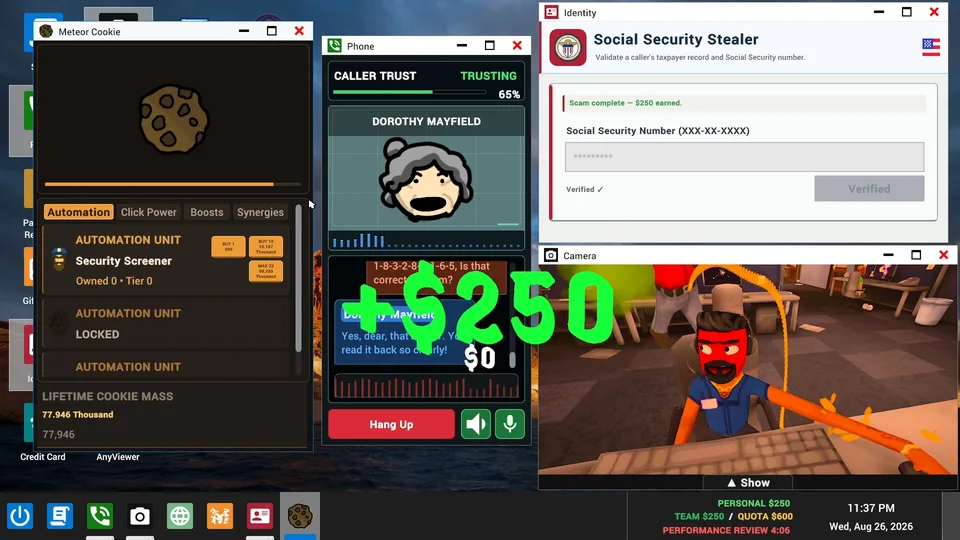
Real-Time AI Conversations: Engage with dynamic fictional callers who react unpredictably to your ridiculous pitches.
Remote Computer Access: Hack into victim computers to retrieve classified data and fulfill your quota requirements.
Workplace Disasters: Survive unexpected police raids, air strikes, and aggressive scambaiters trying to install computer viruses.
Moddable Content: Utilize custom JSON files and WAV audio clips to personalize your scam scenarios.
Essential Tips for Surviving Your Performance Review
Surviving your boss's wrath means balancing productivity with absolute comedic timing. Whether you play solo or join public lobbies, keeping your cool under pressure determines whether you climb the leaderboard or get fired on the spot.
Tip
Always verify your caller's profile before launching into high-value schemes, and make sure your co-op teammates are covering the phone lines while you deal with office disruptions.
Warning
Do not ignore incoming scambaiters; failing to screen your calls properly can result in catastrophic computer viruses that wipe out your daily progress.
Frequently Asked Questions
How do I complete the scam with your friends beta signup?
You can register your interest by visiting the official Steam store page, adding the game to your wishlist, and monitoring community announcements for active playtest availability.
What platforms are supported for online co-op?
The game supports PC platforms via Steam, offering both single-player modes and online co-op lobbies requiring a stable broadband internet connection.
Can I customize the AI caller personalities?
Yes, the title features heavily moddable content allowing players to create custom personalities using JSON files and voice-cloning WAV files.